
How To Find The Best Sources For A Research Paper (Without Losing Your Mind)


It’s 11:30 PM, your essay is due at midnight, and you are staring at a blindingly white Word document. You have a solid thesis, some decent arguments, but you’re missing one massive thing: the proof.
Suddenly, you’re frantically typing your exact essay prompt into regular Google, hoping a beautifully written, perfectly cited academic paper falls into your lap. Instead, you get a bunch of Wikipedia articles, some random blogs from 2012, and a whole lot of panic.
As an affiliate partner of various brands and sponsored content, SimpleStudentPlans may earn commission on qualifying purchases. Disclaimer | Advertise With Us
Figuring out how to find sources for a research paper is arguably the worst part of writing one. It’s tedious, it’s confusing, and if you don’t know where to look, it takes hours.
But what if I told you that finding academic sources for essays doesn’t have to ruin your weekend? Once you learn a few specific database hacks and search strategies, researching actually becomes the fastest part of the process.
If you are tired of clicking through page four of Google search results and getting nowhere, grab an iced coffee. Let’s break down exactly how to research for a college paper like an absolute pro.
1. Why Regular Google is Ruining Your Essay
Let’s get one thing straight: regular Google is for finding out what time the dining hall closes or figuring out if that actor was in that one movie. It is not for college research paper tips or finding credible academic journals.
When your professor asks for “academic, peer-reviewed sources,” they are looking for information that has been vetted by other experts in the field. Regular Google prioritizes popular, SEO-optimized, and highly clicked content. That means you are getting opinion pieces, news summaries, and marketing blogs, not hard data.
If you want an A, you have to upgrade your search engine. You need to move out of the regular internet and into the academic internet.
2. Meet Your New Best Friend: The University Library Database
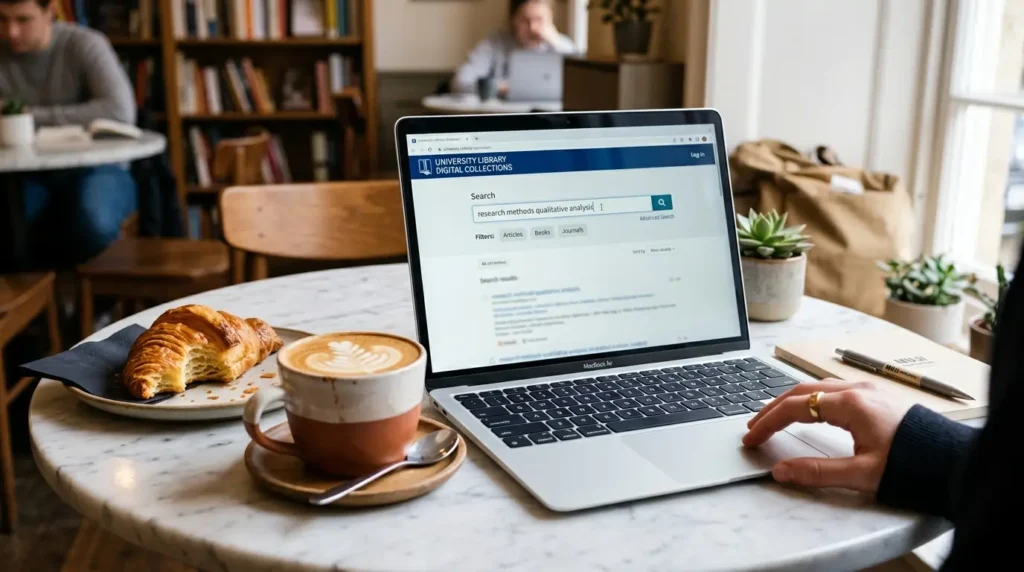
I know, logging into your university’s library portal feels clunky and annoying. But here is the ultimate secret to finding academic sources for essays: your school pays thousands of dollars a year so you can bypass those annoying $40 paywalls on scientific articles.
Here is how you actually use it without getting overwhelmed:
- Don’t use the main search bar: The main search bar on your library’s homepage searches everything; books, videos, physical archives. It’s too broad.
- Find the “Databases A-Z” link: Click this and look for databases specific to your major.
- Pick the right database: Writing a psych paper? Go straight to PsycINFO. History paper? JSTOR is your holy grail. Nursing? PubMed.
By filtering down to a subject-specific database before you even type in a keyword, you instantly cut out thousands of irrelevant results.
3. Google Scholar Hacks You Actually Need to Know
Okay, so maybe you don’t want to use the library database today. That’s fine, because Google Scholar is incredible, if you know how to talk to it.
Here are the college research paper tips that will change the way you use Google Scholar:
- Connect it to your university: Go to Google Scholar settings > Library links > type in your university. Check the box. Now, when you search on Google Scholar, links will appear on the right side saying “Full Text @ [Your College].” Boom. Paywalls destroyed.
- Use the “Cited By” button: This is my favorite hack of all time. If you find one absolutely perfect article, look right underneath the description and click “Cited by [Number].” This will show you every newer paper that referenced your perfect article. It’s basically a goldmine of related, up-to-date sources.
- Search by date: Professors hate outdated sources (especially in science or tech). Use the sidebar on Google Scholar to filter for articles published “Since 2020.”
4. Boolean Operators: Sound Like a Nerd, Search Like a Pro

If you type a full sentence into a database like, “how does social media affect the mental health of teenagers,” the database gets confused. It searches for every single one of those words separately.
Instead, you need to use Boolean Operators. These are just three simple words: AND, OR, NOT.
- AND: Narrows your search. (e.g., Social Media AND Anxiety AND Teenagers). The database will only show papers that include all three of those specific concepts.
- OR: Broadens your search. (e.g., Teenagers OR Adolescents OR Young Adults). This tells the database you don’t care which word the author used, you want to see them all.
- NOT: Excludes things you don’t want. (e.g., Social Media AND Anxiety NOT Facebook). Perfect if you only want to read about TikTok or Instagram.
Combine them to look like a hacking genius: (Social Media OR TikTok) AND Anxiety AND (Teenagers OR Adolescents).
5. The “Citation Chaining” Strategy (The Lazy Genius Method)
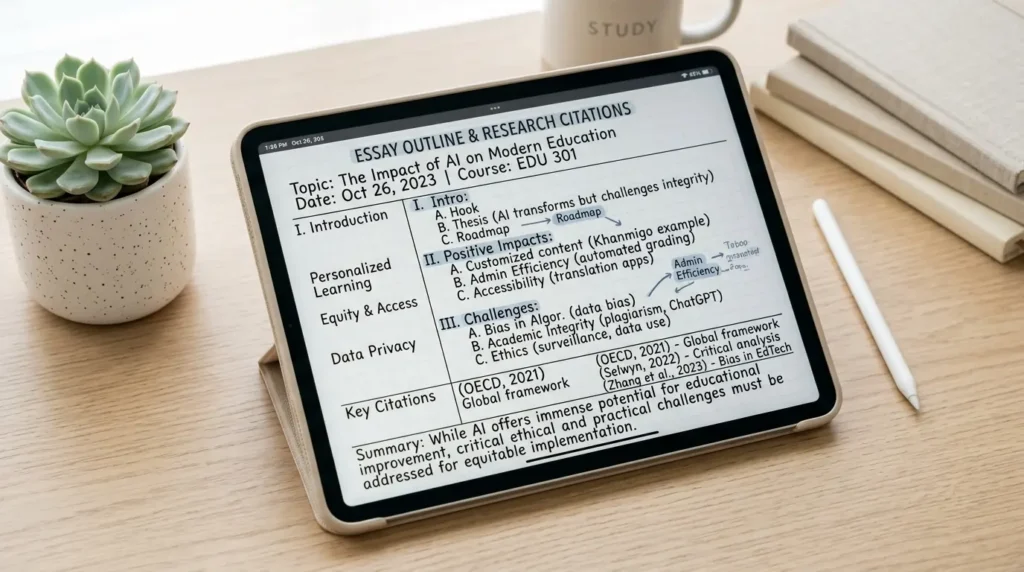
Are you struggling to figure out how to find sources for a research paper when your topic is super niche? Stop searching for new articles and start citation chaining.
Here is how it works:
- Find one really good, highly relevant academic article.
- Scroll all the way down to the very bottom to their References or Bibliography section.
- Read through their sources.
- Copy and paste the titles of the articles they cited into your library database.
If that author wrote an amazing paper on your topic, they already did the hard work of finding 30 incredible sources. You are legally allowed (and encouraged!) to look at their research and use the same sources for your own arguments. Work smarter, not harder.
6. Wikipedia: The Forbidden Fruit (How to use it without getting caught)
Every teacher since middle school has told you not to use Wikipedia. And they are right; you absolutely cannot cite a Wikipedia page in your college paper.
But can you use it to find sources? One hundred percent.
Wikipedia is an incredible starting point when you are completely lost. Go to the Wikipedia page for your topic and read the overview so you actually understand what you are writing about. Then, scroll down to the bottom where the tiny little numbers link to the References.
Those references at the bottom of the Wikipedia page are often links to credible news sites, published books, and peer-reviewed journals. Click them, read the original source, and cite that. Your professor will never know you started on Wikipedia.
7. How to Tell if a Source is Actually “Good” (The CRAAP Test but make it Gen Z)

Just because a source is a PDF doesn’t mean it’s good. If you are citing a random blog post from 2008, your professor is going to dock points.
When figuring out how to research for a college paper, you need a filter. Librarians use the CRAAP test. Here is the modern college student translation:
- Currency: Is this outdated? If you are writing about AI, a paper from 2018 is already ancient. If you are writing about the Civil War, an older book is fine.
- Relevance: Does this actually answer your prompt, or are you just trying to force it to fit because you’re tired of researching?
- Authority: Who wrote this? Are they a PhD researcher at Stanford, or a random guy named Brad with a blog?
- Accuracy: Does this information line up with what you learned in lectures? Are they citing their own sources?
- Purpose: Why was this written? To educate? Or to sell you something? (Watch out for “.com” websites funded by corporations).
8. Keeping Track of Your Tabs Before Your Laptop Crashes
The quickest way to induce a mental breakdown is having 42 tabs open, your laptop fan sounding like a jet engine, and suddenly losing the one PDF that had the perfect quote.
Do not just leave tabs open. As soon as you find a good source:
- Download the PDF immediately and save it to a specific folder on your desktop.
- Use a digital student dashboard or essay workbook to track your sources. Create a table with three columns: the link, the citation, and a 1-sentence summary of what the article says.
- Use a free citation generator like Zotero or Mendeley. You just click a button on your browser extension, and it saves the article and automatically creates the APA/MLA citation for you.
Stop Trying to Read the Whole Thing

Can we have a moment of honesty? You do not need to read a 40-page academic journal article from start to finish. In fact, if you try to do that, you will burn out before you even start writing your essay.
Academic papers are dense, boring, and filled with jargon. Here is how you actually read them:
- Read the Abstract: This is the 200-word summary at the very beginning. If the abstract doesn’t sound useful, close the tab. Move on.
- Read the Conclusion: Skip all the complicated methodology and math. Go straight to the end where they say, “In conclusion, this study proves X.”
- Command+F (or Ctrl+F): Search the document for your specific keywords to find the exact paragraphs that relate to your thesis.
Extract the quotes you need, cite the paper, and get out. You are a college student, not a peer-reviewer. Protect your peace and your time.
Key Takeaways
- Stop using regular Google; switch to your university’s library databases (JSTOR, PubMed) or Google Scholar.
- Connect Google Scholar to your university library settings to bypass expensive paywalls.
- Use Boolean operators (AND, OR, NOT) to narrow down your search results and get hyper-specific.
- Use “citation chaining” – find one perfect article and steal the sources from their bibliography.
- Never cite Wikipedia, but do mine the reference section at the bottom of Wikipedia pages for credible links.
- You don’t have to read the whole 40-page paper. Read the abstract, the conclusion, and use Command+F to find your quotes.
- Keep your sources organized in a digital planner or use a citation manager like Zotero before you lose your tabs.
Frequently Asked Questions
How many sources should a research paper have? A general college rule of thumb is one source per page. If you are writing a 5-page paper, aim for 5-7 sources. Always check your syllabus first, as professors usually state a strict minimum.
Is it okay to use .com websites for academic research? Usually, no. Websites ending in .com are commercial. Try to stick to .edu (educational institutions), .gov (government data), or .org (non-profits, though you still need to check their bias).
What does “peer-reviewed” actually mean? It means that before the article was published, a panel of other experts in that exact field read the paper, checked the math/science, and confirmed it wasn’t just made up. It’s the gold standard for college essays.
Can I use a source if it’s older than 10 years? It depends on your major. For English or History, older sources are totally fine. For STEM, Psychology, or current events, try to use sources published within the last 5 to 10 years.
I can’t find any sources on my topic. What do I do? Your topic is probably too specific. Instead of searching “the impact of TikTok on sleep schedules of college freshmen in New York,” broaden it to “social media and sleep habits in young adults.”
Conclusion
Figuring out how to find sources for a research paper doesn’t have to be a miserable, anxiety-inducing marathon.
By ditching regular Google, using Boolean operators, and letting Google Scholar’s “cited by” feature do the heavy lifting, you can cut your research time in half. Remember, the goal isn’t to read thousands of pages of academic jargon. The goal is to find credible evidence to back up your brilliant ideas, keep them organized, and get the paper submitted before the deadline.
So close out of those random, unhelpful blogs. Open up your library database, type in your new strategic keywords, and go get that A. You’ve totally got this!