
3 Clever Syllabus Hacks to Start Your Semester Off Right


We need to talk about the biggest lie in college: “Syllabus Week.”
You know the vibe. You show up to class, the professor hands you a 15-page packet stapled together, reads the grading scale in a monotone voice, and lets you out 30 minutes early. You think, “Wow, this semester is going to be a breeze.”
Fast forward to week three, and suddenly you have a mid-term paper due, two quizzes you forgot about, and a group project meeting. The chill vibe is gone, and you’re running on iced coffee and panic.
If you are wondering how to organize a college syllabus so you don’t crash and burn by October, you are in the right place.
As an affiliate partner of various brands and sponsored content, SimpleStudentPlans may earn commission on qualifying purchases. Disclaimer | Advertise With Us
Most students just stuff that paper syllabus into the bottom of their backpack or let the PDF get lost in their Canvas dashboard. That is exactly how assignments slip through the cracks. If you want to stay ahead of the game (while still having time for an actual social life), you need a system.
Today, I’m giving you three stupidly simple, highly effective hacks to organize your semester. We’re going to cover the ultimate syllabus dump spreadsheet template, foolproof college calendar organization tips, and exactly how to track college assignments without losing your mind. Grab your laptop, and let’s get into it.
Hack 1: The Master “Syllabus Dump” System
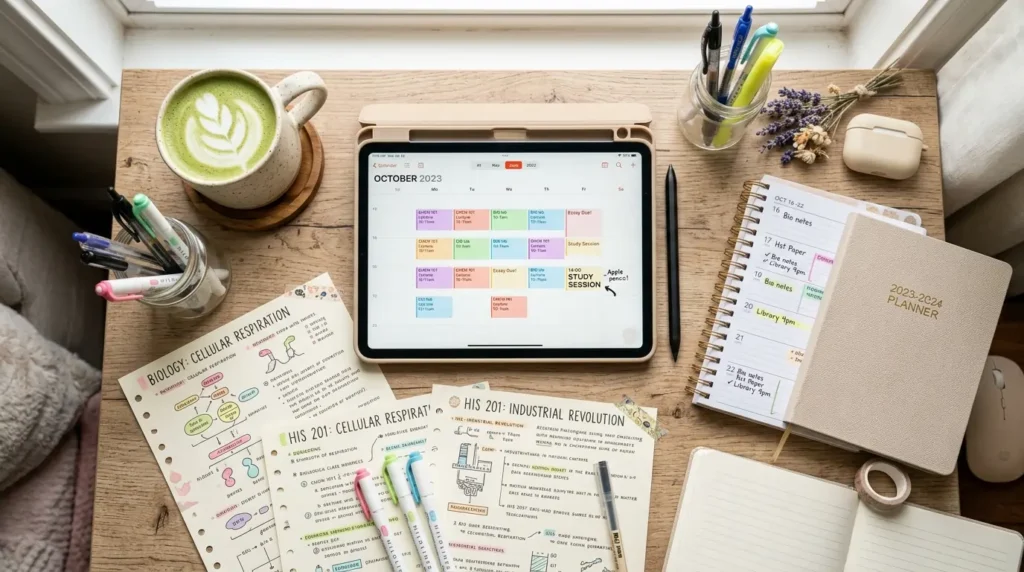
Let’s get one thing straight: having five different syllabi for five different classes means you have five separate places to check for deadlines. That is a recipe for disaster. Your brain is not a hard drive; stop treating it like one.
You need one single source of truth. Enter: The Syllabus Dump.
What is a Syllabus Dump? A syllabus dump is exactly what it sounds like. It is the act of taking every single reading, quiz, essay, and project from all of your classes and dumping them into one master list.
How to set up your syllabus dump spreadsheet template: Forget fancy apps that take three weeks to learn. A simple Google Sheet, Notion page, or Excel file is all you need. Here is the exact column setup you should use:
- Column A: Due Date. (Format this as an actual date so you can sort the spreadsheet chronologically later. This is crucial.)
- Column B: Class Name. (Keep it short: BIO 101, ENG 205).
- Column C: Assignment Title. (e.g., Chapter 4 Quiz, Midterm Essay Draft).
- Column D: Category/Weight. (Is this worth 2% of your grade or 20%? Knowing this helps you prioritize when you are short on time).
- Column E: Status. (Use a dropdown menu with: Not Started, In Progress, Submitted).
- Column F: Notes/Links. (Drop the Canvas link or specific professor instructions here).
The Magic Step: Chronological Sorting Once you spend an hour during syllabus week typing every single assignment into this sheet, highlight all the rows and sort by Column A (Due Date).
Boom. You just transformed five confusing syllabi into one master roadmap for your entire semester. You no longer have to check individual class pages. You just open your spreadsheet, look at what is at the top, and do that first. This is the single best method for how to track college assignments with zero stress.
Hack 2: The “Fake Deadline” Calendar Buffer

Now that you have your master list, we need to talk about your calendar. If you are only writing down the actual due dates, you are setting yourself up for burnout.
Here are the best college calendar organization tips you will ever get: Never trust the real deadline.
If a 10-page paper is due on Friday at 11:59 PM, and you put “Paper Due” on Friday in your calendar, your brain will subconsciously tell you not to worry about it until Thursday night. Cue the all-nighter, the stress breakouts, and the terrible first draft.
How to Reverse-Engineer Your Semester: Instead of logging the final due dates, you are going to create “buffer dates” and action steps. Here is how you do it:
- The 48-Hour Rule: For every major assignment (essays, projects, midterms), put a fake deadline in your calendar exactly 48 hours before the real one. If it’s due Friday night, your calendar says it is due Wednesday night. If the campus Wi-Fi crashes, your laptop dies, or you just get sick, you have a massive safety net.
- Chunking the Big Stuff: When you look at your syllabus dump and see a huge term paper due in November, don’t just write “Term Paper” in November. Go into your digital calendar (Google Calendar or Apple Calendar) and schedule the steps.
- October 15: Pick a topic.
- October 22: Find 5 sources.
- November 1: Write a messy outline.
- November 8: Write the first half.
- November 15: Finish draft & edit.
- Color-Code by Urgency, Not Just Class: Most people color-code their calendar by subject (Math is blue, English is red). Instead, try color-coding by energy level or urgency. Use red for strict, unchangeable deadlines, yellow for reading/prep work, and green for flexible tasks.
By manipulating your calendar this way, you are tricking yourself into starting early. You take the massive, overwhelming syllabus and turn it into tiny, bite-sized tasks that actually fit into your daily student plans.
Hack 3: The Sunday Night Sync (The 15-Minute Reset)

The biggest mistake students make is doing a massive syllabus dump in August and never looking at it again until October. A system is only as good as your maintenance routine.
Professors change their minds. Snow days happen. Syllabi get updated. You need a weekly routine to keep your master list accurate.
The 15-Minute Sunday Routine: Set an alarm for Sunday evening. Grab a snack, put on a good playlist, and do these three things:
- Check the Portals: Open Canvas, Blackboard, or whatever portal your school uses. Look at the announcements tab for every class. Did the professor push a deadline back? Did they cancel a reading?
- Update the Spreadsheet: Go to your syllabus dump spreadsheet template. Cross off what you submitted last week (there is nothing more satisfying than changing that status to “Submitted”). Update any dates that the professor changed.
- Time-Block the Next 7 Days: Look at what is due this coming week. Look at your class schedule, your work shifts, and your social plans. Literally drag and drop blocks of time onto your Google Calendar for when you are going to write that essay or study for that quiz.
If you do this every single Sunday, you will never wake up on a Tuesday in a panic because you forgot about an assignment. You will walk into class knowing exactly what is happening.
Mistakes You Need to Stop Making
Let’s be brutally honest for a second. Some of the “study routines” you see on TikTok are actually ruining your productivity.
- Stop highlighting the paper syllabus: Highlighting a piece of paper does not do the work for you. It just makes the paper colorful. If it isn’t in a digital system that you check daily, that highlighted paper is useless.
- Stop trusting your memory: “Oh, I don’t need to write that down, I’ll remember.” No, you won’t. You are a sleep-deprived college student juggling five classes, a social life, and maybe a job. Write. It. Down.
- Stop ignoring the grading scale: The syllabus tells you exactly what the professor values. If participation is worth 20% of your grade, and the final exam is only worth 10%, you better be speaking up in class instead of killing yourself over flashcards. Read the grading breakdown carefully.
Key Takeaways
- Ditch the multiple syllabi: Compile everything into one master syllabus dump spreadsheet template.
- Sort by date: Organize your master list chronologically so you always know what is up next.
- Use fake deadlines: Give yourself a 48-hour buffer for all major assignments to avoid last-minute panic.
- Chunk your projects: Break massive papers down into small, weekly calendar events.
- Do a weekly sync: Spend 15 minutes every Sunday updating your list and time-blocking your week.
FAQ Section
How long does a syllabus dump take? If you have 4-5 classes, expect it to take about 45 minutes to an hour. Pour an iced coffee, put on a podcast, and just power through it. It is the best hour you will spend all semester.
What if my professor doesn’t give us a full schedule upfront? Some professors only release modules week by week. In your spreadsheet, dump what you do have, and make a recurring weekly task in your calendar called “Update [Class Name] Deadlines” to catch the new assignments as they drop.
Is a digital system really better than a paper planner? For storing the master syllabus, yes. A digital spreadsheet can be sorted by date, edited without crossing things out, and accessed from your phone or laptop. You can absolutely still use a paper planner for your daily to-do lists, but keep the master database digital.
What happens if I fall behind on updating my system? Don’t panic and abandon the whole thing. Just sit down, look at your current week, and reset. Forgive yourself for slipping up, update the statuses of your assignments, and start fresh.
Conclusion
Figuring out how to organize a college syllabus doesn’t have to involve spending a fortune on aesthetic stationery or downloading overly complicated software. It’s about being brutally realistic with your time and protecting your future self from unnecessary stress.
By building a syllabus dump, using fake deadlines, and maintaining your system with a quick Sunday reset, you are setting yourself up to actually enjoy college. You get to be the person who goes out on a Thursday night totally guilt-free, because you know your essay is already drafted.
Take an hour this week to build your master list. Your mid-semester self will thank you. Now go crush those classes!